R35 Phono Preamplifier User Guide

CAUTION

TO REDUCE THE RISK OF FIRE, REPLACE WITH THE SAME TYPE AND RATING OF FUSE.

ATTENTION

UTILISER UN FUSIBLE DE RECHANGE MÊME TYPE.

Safety compliance

This product has been designed to meet the IEC 60065 international electrical safety standard.

CAUTION

RISK OF ELECTRIC SHOCK DO NOT OPEN

ATTENTION

RISQUE DE CHOC ELECTRIQUE NE PAS OUVRIR

The lightning flash with an arrowhead symbol within an equilateral triangle, is intended to alert the user to the presence of uninsulated ‘dangerous voltage’ within the product’s enclosure that may be of sufficient magnitude to constitute a risk of electric shock to persons.

The exclamation point within an equilateral triangle is intended to alert the user to the presence of important operating and maintenance (servicing) instructions in the literature accompanying the product.

CAUTION: To reduce the risk of electrical shock do not remove cover (or back). No user serviceable parts inside. Refer servicing to qualified service personnel.

WARNING: To reduce the risk of fire or electrical shock, do not expose this apparatus to rain or moisture.

CAUTION: In Canada and the USA, to prevent electric shock, match the wide blade of the plug to the wide slot in the socket and insert the plug fully into the socket. 

This product is designed and manufactured to meet strict quality and safety standards. However, you should be aware of the following installation and operation precautions.

1. Take heed of warnings & instructions

You should read all the safety and operating instructions before operating this appliance. Retain this handbook for future reference and adhere to all warnings in the handbook or on the appliance.

2. Water and moisture

The presence of electricity near water can be dangerous. Do not use the appliance near water – for example next to a bathtub, washbowl, kitchen sink, in a wet basement or near a swimming pool, etc.

3. Object or liquid entry

Take care that objects do not fall and liquids are not spilled into the enclosure through any openings. Liquid-filled objects such as vases should not be placed on the equipment.

4. Ventilation

Do not place the equipment on a bed, sofa, rug or similar soft surface, or in an enclosed bookcase or cabinet, since ventilation may be impeded. We recommend a minimum distance of 50mm around the sides and top of the appliance to provide adequate ventilation.

5. Heat

Locate the appliance away from naked flames or heat producing equipment such as radiators, stoves or other appliances (including other amplifiers) that produce heat.

6. Climate

The appliance has been designed for use in moderate climates.

7. Racks and stands

Only use a rack or stand that is recommended for use with audio equipment. If the equipment is on a portable rack it should be moved with great care, to avoid overturning the combination.

8. Cleaning

Unplug the unit from the mains supply before cleaning.

The case should normally only require a wipe with a soft, damp, lint-free cloth. Do not use paint thinners or other chemical solvents for cleaning.

We do not advise the use of furniture cleaning sprays or polishes as they can cause indelible white marks if the unit is subsequently wiped with a damp cloth.

9. Power sources

This appliance must be connected to a mains socket outlet using the supplied power cord. To disconnect this apparatus from power, you must disconnect the power cord. Make sure the power cord is always easily accessible.

Only connect the appliance to a power supply of the type described in the operating instructions or as marked on the appliance.

This is a Class 1 device and must be earthed.

The power switch is a single-pole switch. When the switch is in the “Off” position, the appliance is not completely disconnected from the main power.

10. Power-cord protection

Power supply cords should be routed so that they are not likely to be walked on or pinched by items placed upon or against them, paying particular attention to cords and plugs, and the point where they exit from the appliance.

11. Grounding

Ensure that the grounding means of the appliance is not defeated.

12. Lightning storms

Unplug this device during lightning storms.

13. Non-use periods

If the unit has a stand-by function, a small amount of current will continue to flow into the equipment in this mode. Unplug the power cord of the appliance from the outlet if left unused for a long period of time.

14. Abnormal smell

If an abnormal smell or smoke is detected from the appliance, turn the power off immediately and unplug the unit from the wall outlet. Contact your dealer immediately.

15. Servicing

You should not attempt to service the appliance beyond that described in this handbook. All other servicing should be referred to qualified service personnel.

16. Damage requiring service

The appliance should be serviced by qualified service personnel when:

A. the power-supply cord or the plug has been damaged, or

B. objects have fallen, or liquid has spilled into the appliance, or

C. the appliance has been exposed to rain, or

D. the appliance does not appear to operate normally or exhibits a marked change in performance, or

E. the appliance has been dropped or the enclosure damaged.

The CE symbol indicates that this Primare product complies with the EMC (Electromagnetic Compatibility) and LVD (Low Voltage Directive) standards of the European Community.

The WEEE symbol indicates this Primare product complies with the European Parliament and Council Directive 2002/96/EC concerning Waste Electrical and Electronic Equipment (WEEE). This product must be appropriately recycled or processed in accordance with these directives. Consult your local waste disposal authority for guidance.

The RoHS symbol indicates that Primare products are designed and manufactured to comply with the Restriction of Hazardous Substances (RoHS) as stated in the European Parliament and Council Directive 2002/95/EC.

Copyright and acknowledgments

Copyright © 2020 Primare AB.
All  rights reserved.

Primare AB
Limstensgatan 7
21616 Limhamn
Sweden

https://primare.net

Issue: R35/2 (4/2/2020)

The information in this guide is believed to be correct as of the date of publication. However, our policy is one of continuous development and so the information is subject to change without notice, and does not represent a commitment on the part of Primare AB.

Primare is a trademark of Primare AB.

This guide was produced by
Human-Computer Interface Ltd.
http://www.interface.co.uk
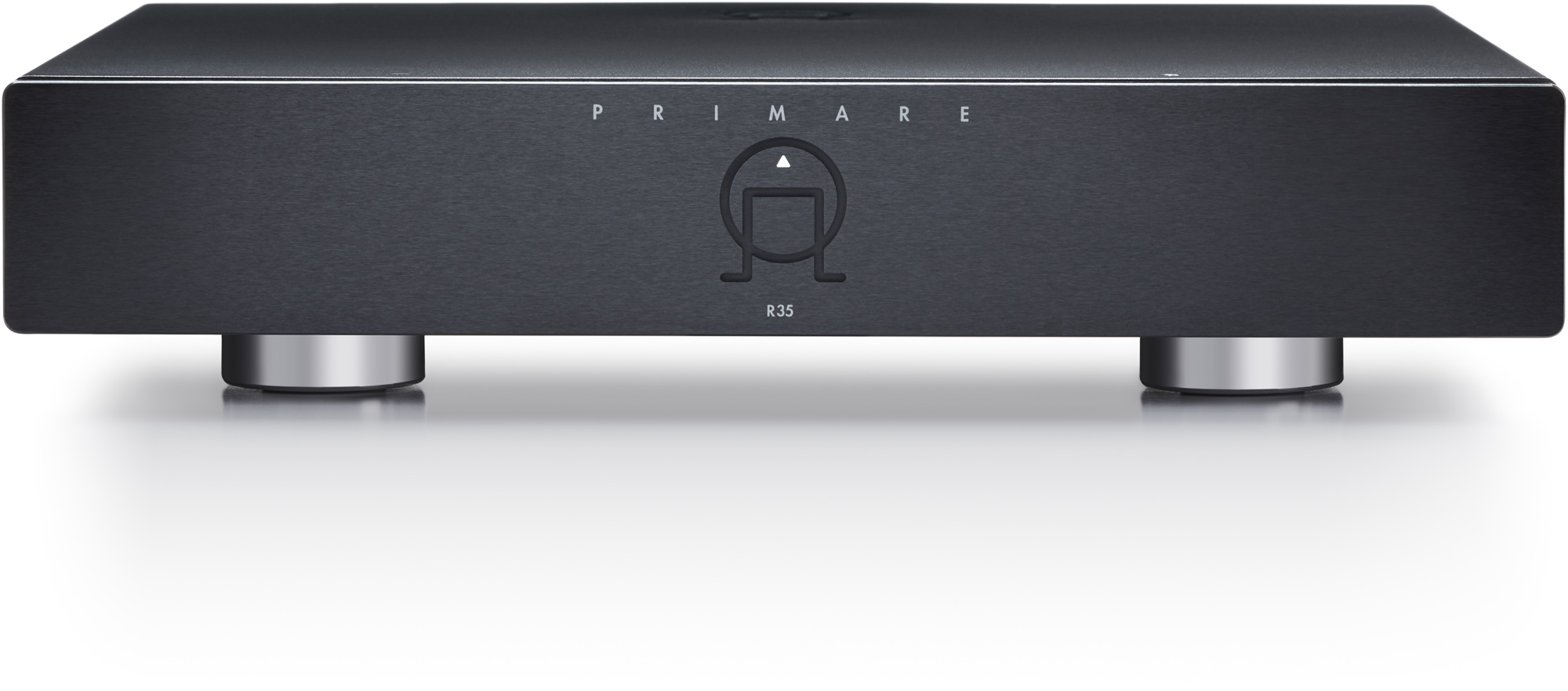
Congratulations on selecting your new R35 Phono Preamplifier

This user guide describes the features and explains how to set up the preamplifier for ideal system matching to virtually any moving magnet or moving coil phono cartridge.

For additional support and assistance please contact your local authorized Primare dealer, or visit our website at www.primare.net.

3.1. Unpack the R35

Your R35 is supplied with the following components:

  • Mains cable
  • IR/Trigger cable
  • AC Polarity Pen (with batteries)

If any of these items are missing please contact your supplier. We recommend you retain the packaging in case you need to transport the unit at a later date.

3.2. Connect the cartridge

The R35 accepts either a moving-magnet cartridge or a moving-coil cartridge:

  • Set the MM/MC selector to the appropriate position for your cartridge.

The gain can be selected between three options using a switch on the back panel.

  • Set the gain selector to the appropriate position for your cartridge.
  • Connect the cartridge to the RCA inputs.
  • If the turntable provides a ground connection, connect this to the Ground terminal on the back panel to minimise hum pickup.

The default setting for the input impedance is 47kΩ (MM and MM settings), with a capacitance setting of 100pF (MC and MM settings). These settings should be adjusted using the DIP switches on the back panel according to the recommended settings for the cartridge installed. For more information see Setting the impedance and capacitance.

3.3. Connect to a preamplifier

  • Connect the R35 to, for example, a preamplifier using either the left and right RCA outputs, or the left and right XLR outputs.

If you are using the RCA outputs use high quality stereo RCA leads.

If you are using the XLR outputs use balanced XLR cables.

3.4. Connect power

  • Plug one end of the mains cable supplied with the R35 into the power connector on the back panel, and connect the other end to a wall socket.

If this cable is not suitable for your power outlets please contact your supplier for an alternative cable.

Note: See Phase for information about getting the best sound from your R35.

WARNING: Always disconnect the R35 from the mains power before connecting or disconnecting any cables.

  • Switch on the R35, using the switch on the back panel.

The R35 will go into standby mode, indicated by the front panel light dimly illuminated.

3.5. Switch on

  • Press the front panel standby switch, in the middle of the Primare logo.

The indicator light will blink for a few seconds before staying on.

If no signal is present for 20 minutes the R35 will automatically go into standby to save power.

3.6. Automatic standby

By default, if no signal is present for 20 minutes the R35 will automatically go into standby to save power.

To disable automatic standby

  • Press and hold down the front panel button for a few seconds, and release once the indicator light has flashed two times and become steadily illuminated.

To re-enable automatic standby

  • Turn the R35 off and then on again using the switch on the back panel.

The following diagram explains the function of each of the connectors on the back panel:

Outputs

Type

2 x RCA 100Ω

2 x XLR 200Ω

Maximum output level: 11V rms

Inputs

2 x RCA

Performance

Gain at 1kHz

MM RCA: Adjustable 36, 40, 44dB

MM XLR: Adjustable 42, 46, 50dB

MC RCA: Adjustable 62, 66, 70dB

MC XLR: Adjustable 68, 72, 76dB

Impedance loading

MM: Adjustable 2.5, 47kΩ

MC: Adjustable 10Ω – 47kΩ (21 steps)

Capacitive loading

MM: Adjustable 100, 200, 300, 400pF

MC: Adjustable 100pF, 1nF

Channel separation

MM: 80dB 1kHz

MC: 77dB 1kHz

THD + noise

MM: <0.02% 20Hz – 20kHz

MC: <0.03% 20Hz – 20kHz

Signal to noise ratio

MM: 85dB 1kHz A-weighted 5mV input Gain

MC: 76dB 1kHz A-weighted 0.5mV input Gain

Subsonic filter

-3dB/12Hz, 12dB/octave

RIAA correction

± 0.2dB

General

Power consumption

Standby: <0.5W
Operating: <20W

Size

430 x 384 x 92mm (WxDxH) with knobs and connectors.

Weight

9.5kg

Colour

Black or titanium

Note: features and specifications are preliminary and subject to change.

These instructions help you get the best possible sound from your R35.

6.1. Phase

The phase of the AC supply can make a significant difference to the sound.

Use the Polarity Pen supplied with the R35 to verify which pin is live on your AC power cable.

Ensure that the live pin of the AC power cable is connected to the left-hand pin of the power connector, viewed from the back panel:

6.2. Burn-in

Your Primare will start to sound best after an initial burn-in of approximately 24 hours.

You will notice a further smaller improvement in sound quality for at least another 3 days’ playing.

6.3. Trigger

For convenience the R35 can be powered on and off via a remote link cable, avoiding the need to switch it on or off separately from the preamplifier in the system.

To power the R35 on and off remotely from a Primare processor or preamplifier connect the TRIG OUT signal from the processor/preamplifier to the TRIG IN socket on the R35, using a mono 3.5mm jack plug.

The TRIG OUT socket can be used to daisy-chain the trigger output signal to further Primare products.

6.4. Setting the impedance and capacitance

The default setting for the input impedance is 47kΩ (MM and MC settings), with a capacitance setting of 100pF (MC and MM settings). These settings should be adjusted using the DIP switches on the back panel according to the recommended settings for the cartridge installed.

  • Remove both plates by unscrewing the retaining thumb screws.

  • Set the switches up (OFF) or down (ON) according to the following tables.

You only need to set the switches appropriate to the type of cartridge you are using.

There are two sets of switches, one for the L channel and one for the R channel. Set the L and R switches to the same positions.

Choosing the correct settings

Details of the recommended settings will be provided in the documentation for the cartridge you are using. We suggest listening to values either side of the recommended ones to choose the ideal settings for your system.

MM impedance

Switch 8
47kΩ OFF
2.5kΩ ON

MM capacitance

Switch 9 10
100pF OFF OFF
200pF OFF ON
300pF ON OFF
400pF ON ON

MC impedance

Switch 1 2 3 4 5 6
10Ω ON ON ON ON ON ON
15Ω ON OFF ON ON OFF ON
18Ω OFF OFF ON OFF OFF ON
20Ω OFF OFF OFF OFF OFF ON
25Ω ON ON ON ON ON OFF
30Ω ON ON OFF ON ON OFF
40Ω ON OFF ON OFF ON OFF
50Ω OFF OFF OFF OFF ON OFF
60Ω ON ON ON ON OFF OFF
70Ω OFF OFF ON ON OFF OFF
80Ω ON ON OFF ON OFF OFF
90Ω ON OFF OFF ON OFF OFF
100Ω OFF OFF OFF ON OFF OFF
150Ω ON ON ON OFF OFF OFF
180Ω OFF ON ON OFF OFF OFF
200Ω ON OFF ON OFF OFF OFF
250Ω OFF OFF ON OFF OFF OFF
400Ω ON ON OFF OFF OFF OFF
600Ω OFF ON OFF OFF OFF OFF
1kΩ ON OFF OFF OFF OFF OFF
47kΩ OFF OFF OFF OFF OFF OFF

MC capacitance

Switch 7
100pF OFF
1nF ON

Translate

You can use Google Translate to translate the contents of the Primare website. To do that, select the language you would like to translate into in the list below.

Please bear in mind, since the Google Translate is an automatically generated translation, we do not take any responsibility for errors in the text.