WiSA User Guide
Table of contents
CAUTION
TO REDUCE THE RISK OF FIRE, REPLACE WITH THE SAME TYPE AND RATING OF FUSE.
ATTENTION
UTILISER UN FUSIBLE DE RECHANGE MÊME TYPE.
Safety compliance
This product has been designed to meet the IEC 60065 international electrical safety standard.
CAUTION
RISK OF ELECTRIC SHOCK DO NOT OPEN
ATTENTION
RISQUE DE CHOC ELECTRIQUE NE PAS OUVRIR

The lightning flash with an arrowhead symbol within an equilateral triangle, is intended to alert the user to the presence of uninsulated ‘dangerous voltage’ within the product’s enclosure that may be of sufficient magnitude to constitute a risk of electric shock to persons.

The exclamation point within an equilateral triangle is intended to alert the user to the presence of important operating and maintenance (servicing) instructions in the literature accompanying the product.
CAUTION: To reduce the risk of electrical shock do not remove cover (or back). No user serviceable parts inside. Refer servicing to qualified service personnel.
WARNING: To reduce the risk of fire or electrical shock, do not expose this apparatus to rain or moisture.
CAUTION: In Canada and the USA, to prevent electric shock, match the wide blade of the plug to the wide slot in the socket and insert the plug fully into the socket.
This product is designed and manufactured to meet strict quality and safety standards. However, you should be aware of the following installation and operation precautions.
1. Take heed of warnings & instructions
You should read all the safety and operating instructions before operating this appliance. Retain this handbook for future reference and adhere to all warnings in the handbook or on the appliance.
2. Water and moisture
The presence of electricity near water can be dangerous. Do not use the appliance near water – for example next to a bathtub, washbowl, kitchen sink, in a wet basement or near a swimming pool, etc.
3. Object or liquid entry
Take care that objects do not fall and liquids are not spilled into the enclosure through any openings. Liquid-filled objects such as vases should not be placed on the equipment.
4. Ventilation
Do not place the equipment on a bed, sofa, rug or similar soft surface, or in an enclosed bookcase or cabinet, since ventilation may be impeded. We recommend a minimum distance of 50mm around the sides and top of the appliance to provide adequate ventilation.
5. Heat
Locate the appliance away from naked flames or heat producing equipment such as radiators, stoves or other appliances (including other amplifiers) that produce heat.
6. Climate
The appliance has been designed for use in moderate climates.
7. Racks and stands
Only use a rack or stand that is recommended for use with audio equipment. If the equipment is on a portable rack it should be moved with great care, to avoid overturning the combination.
8. Cleaning
Unplug the unit from the mains supply before cleaning.
The case should normally only require a wipe with a soft, damp, lint-free cloth. Do not use paint thinners or other chemical solvents for cleaning.
We do not advise the use of furniture cleaning sprays or polishes as they can cause indelible white marks if the unit is subsequently wiped with a damp cloth.
9. Power sources
This appliance must be connected to a mains socket outlet using the supplied power cord. To disconnect this apparatus from power, you must disconnect the power cord. Make sure the power cord is always easily accessible.
Only connect the appliance to a power supply of the type described in the operating instructions or as marked on the appliance.
This is a Class 1 device and must be earthed.
The power switch is a single-pole switch. When the switch is in the “Off” position, the appliance is not completely disconnected from the main power.
10. Power-cord protection
Power supply cords should be routed so that they are not likely to be walked on or pinched by items placed upon or against them, paying particular attention to cords and plugs, and the point where they exit from the appliance.
11. Grounding
Ensure that the grounding means of the appliance is not defeated.
12. Lightning storms
Unplug this device during lightning storms.
13. Non-use periods
If the unit has a stand-by function, a small amount of current will continue to flow into the equipment in this mode. Unplug the power cord of the appliance from the outlet if left unused for a long period of time.
14. Abnormal smell
If an abnormal smell or smoke is detected from the appliance, turn the power off immediately and unplug the unit from the wall outlet. Contact your dealer immediately.
15. Servicing
You should not attempt to service the appliance beyond that described in this handbook. All other servicing should be referred to qualified service personnel.
16. Damage requiring service
The appliance should be serviced by qualified service personnel when:
A. the power-supply cord or the plug has been damaged, or
B. objects have fallen, or liquid has spilled into the appliance, or
C. the appliance has been exposed to rain, or
D. the appliance does not appear to operate normally or exhibits a marked change in performance, or
E. the appliance has been dropped or the enclosure damaged.
2.4G and 5G FCC Statements
This device complies with Part 15 of the FCC Rules. Operation is subject to the following two conditions:
- This device may not cause harmful interference, and
- This device must accept any interference received, including interference that may cause undesired operation.
Cet appareil est conforme à la section 15 des réglementations de la FCC. Le fonctionnement de l’appareil est sujetaux deux conditions suivantes :
- cet appareil ne doit pas provoquer d’interférences néfastes, et
- cet appareil doit tolérer les interférences reçues, y compris celles qui risquent de provoquer un fonctionnement indésirable.
Note: This product has been tested and found to comply with the limits for a Class B digital device, pursuant to Part 15 of the FCC Rules. These limits are designed to provide reasonable protection against harmful interference in a residential installation. This product generates, uses, and can radiate radio frequency energy and, if not installed and used in accordance with the instructions, may cause harmful interference to radio communications. However, there is no guarantee that interference will not occur in a particular installation. If this product does cause harmful interference to radio or television reception, which can be determined by turning the equipment off and on, the user is encouraged to try to correct the interference by one or more of the following measures:
- Reorient or relocate the receiving antenna.
- Increase the separation between the equipment and receiver.
- Connect the equipment into an outlet on a circuit different from that to which the receiver is connected.
- Consult the dealer or an experienced radio/TV technician for help.
Please take attention that changes or modification not expressly approved by the party responsible for compliance could void the user’s authority to operate the equipment.
This equipment should be installed and operated with a minimum distance 20cm between the radiator and your body.
Cet équipement doit être installé et utilisé à une distance minimale de 20 cm entre le radiateur et votre corps.
This device complies with Industry Canada licence-exempt RSS standard(s). Operation is subject to the following two conditions:
- this device may not cause interference, and
- this device must accept any interference, including interference that may cause undesired operation of the device.
Le présent appareil est conforme aux CNR d’Industrie Canada applicables aux appareils radioexempts de licence. L’exploitation est autorisée aux deux conditions suivantes :
- l’appareil ne doit pas produire de brouillage, et
- l’utilisateur de l’appareil doit accepter tout brouillage radioélectrique subi, même si le brouillage est susceptible d’en compromettre le fonctionnement.
Under Industry Canada regulations, this radio transmitter may only operate using an antenna of a type and maximum (or lesser) gain approved for the transmitter by Industry Canada. To reduce potential radio interference to other users, the antenna type and its gain should be so chosen that the equivalent isotropically radiated power (e.i.r.p.) is not more than that necessary for successful communication.
Conformément à la réglementation d’Industrie Canada, le présent émetteur radio peut fonctionner avec une antenne d’un type et d’un gain maximal (ou inférieur) approuvé pour l’émetteur par Industrie Canada. Dans le but de réduire les risques de brouillage radioélectrique à l’intention des autres utilisateurs, il faut choisir le type d’antenne et son gain de sorte que la puissance isotrope rayonnée équivalente (p.i.r.e.) ne dépasse pas l’intensité nécessaire à l’établissement d’une communication satisfaisante.

The CE symbol indicates that this Primare product complies with the EMC (Electromagnetic Compatibility) and LVD (Low Voltage Directive) standards of the European Community.
The WEEE symbol indicates this Primare product complies with the European Parliament and Council Directive 2002/96/EC concerning Waste Electrical and Electronic Equipment (WEEE). This product must be appropriately recycled or processed in accordance with these directives. Consult your local waste disposal authority for guidance.
The RoHS symbol indicates that Primare products are designed and manufactured to comply with the Restriction of Hazardous Substances (RoHS) as stated in the European Parliament and Council Directive 2002/95/EC.
Copyright and acknowledgments
Copyright © 2020 Primare AB.
All rights reserved.
Primare AB
Limstensgatan 7
21616 Limhamn
Sweden
Issue: WiSA/2 (4/2/2020)
The information in this guide is believed to be correct as of the date of publication. However, our policy is one of continuous development and so the information is subject to change without notice, and does not represent a commitment on the part of Primare AB.
Primare is a trademark of Primare AB.
This guide was produced by
Human-Computer Interface Ltd.
http://www.interface.co.uk
Using WiSA loudspeakers with your Primare product
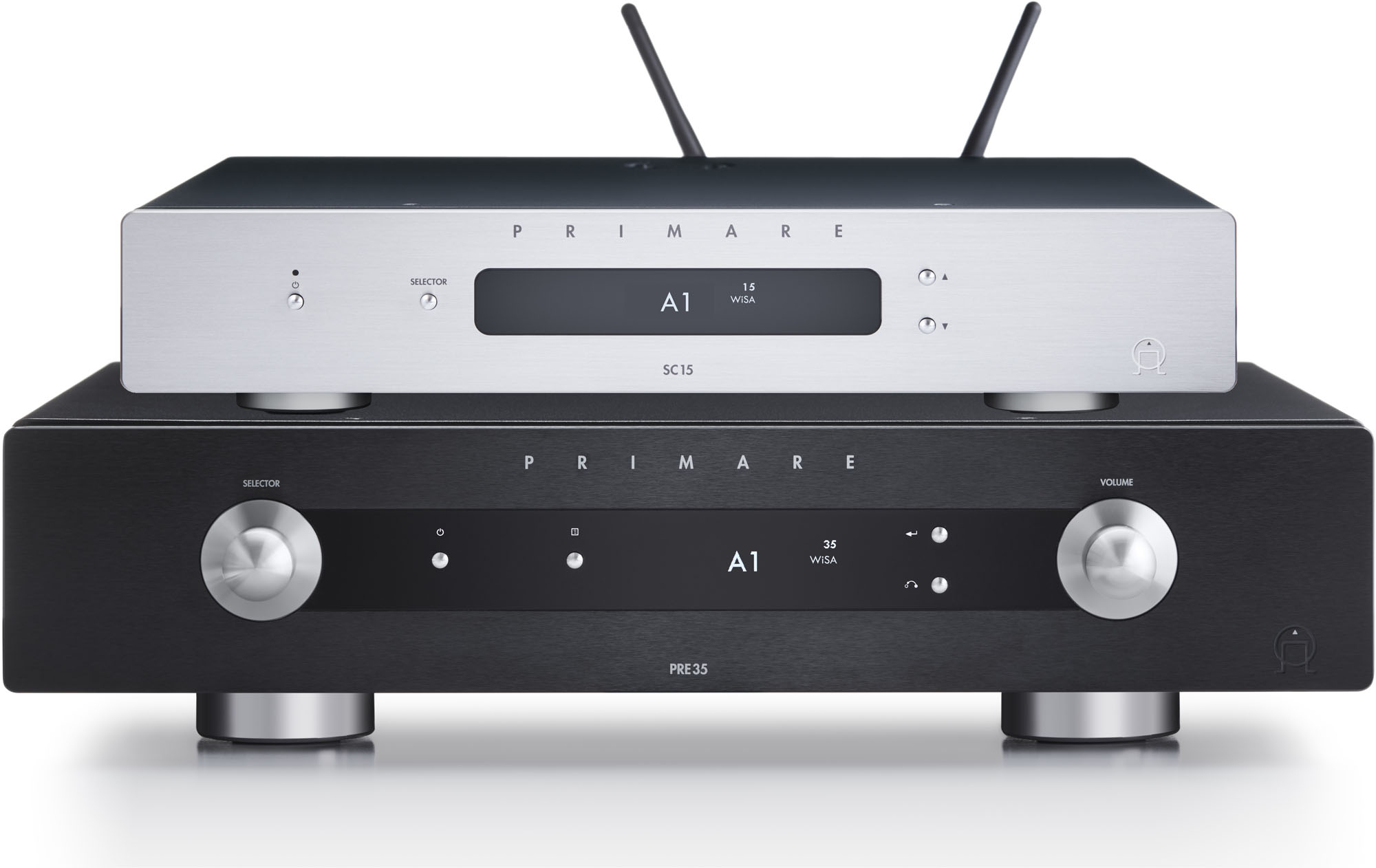
This user guide describes how to set up and use WiSA wireless loudspeakers with your Primare SC15 Prisma System Control Center or Primare PRE35 Preamplifier.

For additional support and assistance please contact your local authorized Primare dealer, or visit our website at www.primare.net.
The WiSA logo is a trademark or registered trademark of WiSA, LLC in the United States and other countries.
What is WiSA?
WiSA stands for Wireless Speaker and Audio, and it’s an audio standard that wirelessly transmits multichannel, high-definition audio. It supports up to eight channels of uncompressed digital audio at 96kHz, 24bit resolution.
WiSA is supported by selected Primare products, such as the SC15 Prisma System Control Center or Primare PRE35 Preamplifier, allowing you to deliver a stereo audio signal to loudspeakers without the need for the usual loudspeaker cables.
The audio is transmitted using the license-free 5 GHz band, and it avoids interference by using dynamic frequency selection (DFS) to change channels when necessary.
To use WiSA speakers with your Primare product, they must be associated with the product. For more information see Getting started.
Switching on
If the WiSA module is on when your Primare product enters standby the WiSA module will always initiate when you turn your device on, and the display will show:

It will then start your found associated speakers. The display will show if your unit was unable to find any of your previously associated speakers.
WiSA will be shown in the display once the WiSA module is on and it has found and connected to WiSA speakers.
Communication
All communication between your Primare WiSA and a WiSA speakers will be at the highest WiSA standard 96kHz 24 bits. WiSA can only convert sample rates up to 192kHz 24bit. Therefore, when playing on DLNA/UPnP, DSD* and PCM streams with a sample rate above 96kHz will be converted to 96kHz 24bit (only when the WiSA module is ON).
* DSD conversion support coming with a future update.
Changing networks
Each WiSA transmitter creates its own WiSA network. If you have two or more WiSA transmitters it’s possible to have several separate WiSA networks in your home, but each loudspeaker can only be connected to one network.
To move a loudspeaker between WiSA networks
Dismiss the speaker from the WiSA network, and then add it to the second network.
Speaker types
This section explains which channel WiSA speakers will be assigned to by default when associated with your Primare device. For information about changing the channel see Associated WiSA speakers.
R speakers
These are labelled as FR, and will be added as Right.
L speakers
All speakers that are not labeled as FR will be added as Left.
Type C speakers
These speakers are labeled both FR and FL, and will therefore be added as both Right and Left but with the same MAC address.
For more information see Getting started.
WISA SETTINGS
On Primare products with WiSA the GENERAL SETTINGS menu provides an additional WISA SETTINGS option to allow you to configure the WiSA setup.
This has the following submenus:

WISA MODULE
Set to ON to turn on the WiSA module, or OFF to turn it off.
WISA NETWORK
Set to ON to broadcast to your WiSA associated speakers or OFF to stop broadcasting. You can also toggle this setting by pressing the SPS button on the back panel.
ADD SPEAKER
Adds speakers to your WiSA network without dismissing previous speakers.
ASSOCIATED WISA SPEAKERS
Shows all speakers associated with your WiSA network and identifies the speakers as R (right) or L (left):

Speakers are sorted according to their WiSA MAC address.
DISMISS ALL SPEAKERS: Removes all the speakers from your WiSA network, and puts the speakers in associate mode.
Selecting a speaker displays the options REASSIGN OUTPUT to allow you to reassign it between R and L, and DISMISS FROM NETWORK to allow you to dismiss that speaker.
WiSA setup
We recommend that you connect your WiSA speakers before you do the Prisma setup. Review your WiSA speaker manual and the following instructions before you continue.
Make sure your Prisma product has finished starting up before you continue. When it’s ready the display will show:

or:

If after completing this section your Primare product is not able to find all your speakers please check Troubleshooting.
Stereo setup for one R and one L speaker
- Make sure all your speakers are turned on and in associate mode, usually indicated by a flashing light on the speaker.
- Press and hold the SPS (Speaker Pairing System) button on the back panel of your Primare product for three seconds.
The display will show:

This will turn on the WiSA module and add all available WiSA speakers.
It will then show a notification of all the speakers it found:

Your speakers are now set up to your Primare device and ready to play.
Stereo setup for two L speakers
- Make sure only the speaker you want to use as the Right speaker is turned on and in associate mode, usually indicated by a flashing light on the speaker.
- Press and hold the SPS (Speaker Pairing System) button on the back panel of your Primare product for three seconds.
The display will show:

This will turn on the WiSA module and add all available WiSA speakers.
It will then show a notification of all the speakers it found:

- Go to the option ASSOCIATED WISA SPEAKERS in the WISA SETTINGS menu and change the associated speaker to Right.
- Turn on the speaker you want to use as the Left speaker and make sure it is in associate mode, usually indicated by a flashing light on the speaker.
- Select the ADD SPEAKER option in the WISA SETTINGS menu.
The notification should now show the additional entry:

Your speakers are now set up to your Primare device and ready to play.
Stereo setup for two C speakers
- Make sure all your speakers are turned on and in associate mode, usually indicated by a flashing light on the speaker.
- Press and hold the SPS (speaker pairing system) button for 3 seconds. You can find the button on the back next to the WiSA transmitter.
The display will show:

This will turn on the WiSA module and add all available WiSA speakers.
It will then show a list all the speakers it found:

- Make sure you set the speaker to the desired channel.
Your speakers are now set up to your Primare device and ready to play.
WiSA module does not start up.
- Go to WISA SETTINGS in the GENERAL SETTINGS menu and make sure the WiSA module is on.
Unable to connect to speakers
- Make sure your speakers are WiSA certified.
- Make sure your speakers are connected to power.
- Make sure your speakers are in associate mode.
- Select ADD SPEAKERS.
If above does not help and you are unable to find any speaker please contact a Primare store for service support.
If your device finds some but not all of the speakers
Please contact you speaker manufacturer for support.
Speakers are very quiet
If you feel that you need to turn up the volume a lot for your speaker to output any sound, your speaker may be missing WiSA certified firmware. Please contact your speaker manufacturer for support.
No sound from associated speakers
- Make sure the speaker is associated to your device.
- Make sure your Primare device is not muted
- Make sure WISA MODULE is set to ON and WISA NETWORK is set to ON.
- SC15 only: make sure your analog output setting is set to PRE, (Line mutes the WiSA output).
If there is still no sound out:
- Make sure that your Primare device outputs sound both on analog and digital out.
Please note that when playing on the PC/MAC input, if you play a sample rate above 192kHz the sound will not be output on WiSA.
If there is no sound from the digital output please contact your local Primare store for service support.
Product is stuck in “WiSA initiating please wait…”
Please contact your local primare store for service support