To follow these installation instructions you will need:
- A Phillips screwdriver.
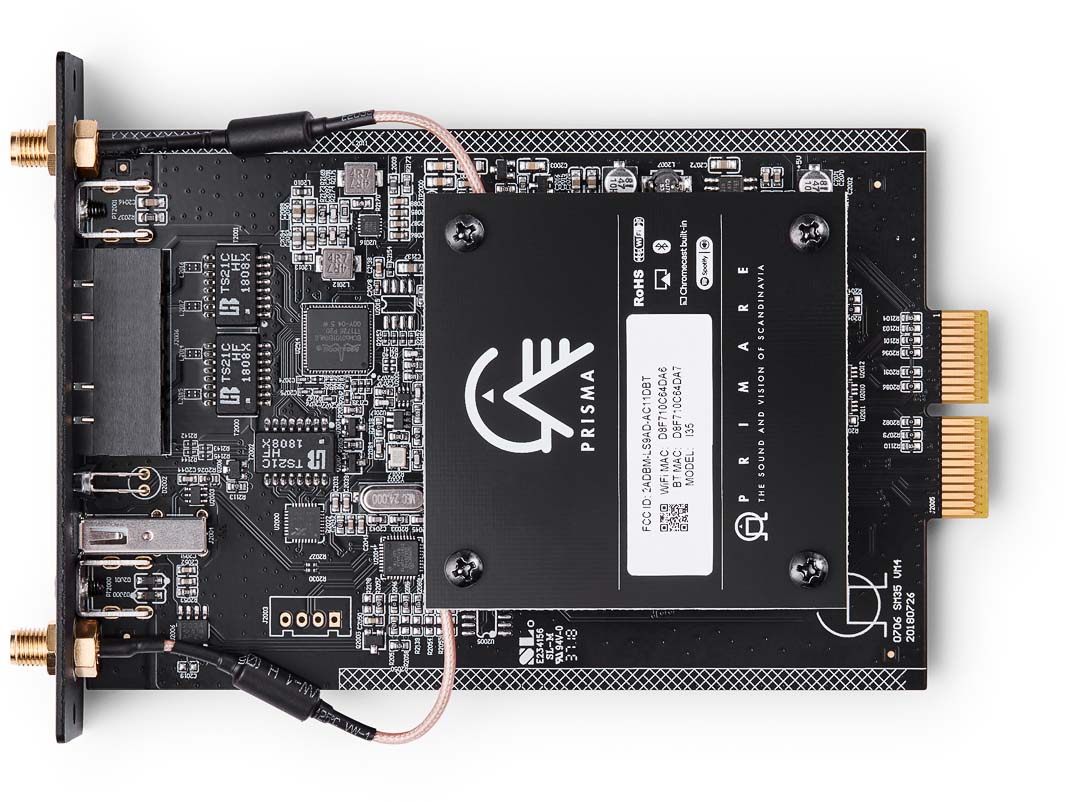
These installation instructions explains how to fit the SM35 module into your CD35 Compact Disc Player, I15 Analog Integrated Amplifier, I25 Integrated Amplifier, I35 Integrated Amplifier, or PRE35 Preamplifier.

For additional support and assistance please contact your local authorized Primare dealer, or visit our website at www.primare.net.
To follow these installation instructions you will need:
This is important as there are dangerous voltage levels accessible inside the product.
On the back panel of the Primare product you are upgrading:


One antenna is for Bluetooth connectivity, and the other one is for Wi-Fi connectivity.
The Primare unit will recognise the Network Player Module and configure itself to allow access to the new features.
To take advantage of Chromecast features and functionality, such as casting, voice control, and multi-room/multi-zone configuration and control, you should set up and configure the unit through Google Home, using a Google account.
If you are not using Chromecast features, you can set up an Ethernet or Wi-Fi network connection as follows:
When the Network Player Module is ready to set up the network the unit’s display will show:

It will display New device found.
After playing a test sound you will be prompted to connect to your home Wi-Fi network.
You will now be able to stream music to your unit.
For more information refer to the appropriate user guide for the Prisma version of your product.
You can use Google Translate to translate the contents of the Primare website. To do that, select the language you would like to translate into in the list below.
Please bear in mind, since the Google Translate is an automatically generated translation, we do not take any responsibility for errors in the text.